


Word Garden : Crosswords
4.915.56K Reviews
App Specs
- Version
- 3.16.1
- Updated On
- License
- Free
- Downloads
- 10,000,000+
- Developer
- IsCool Entertainment
- Categories
- Word
- Platform
- Android, iOS
Screenshots
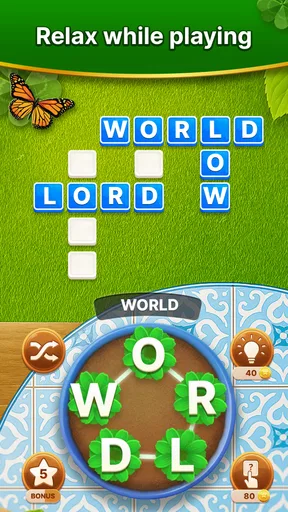
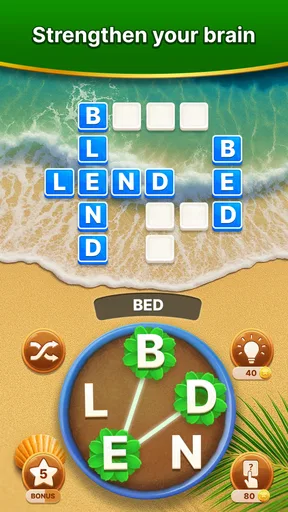
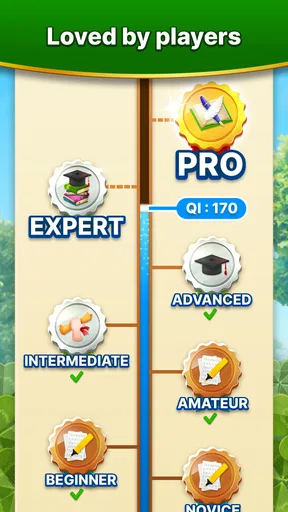
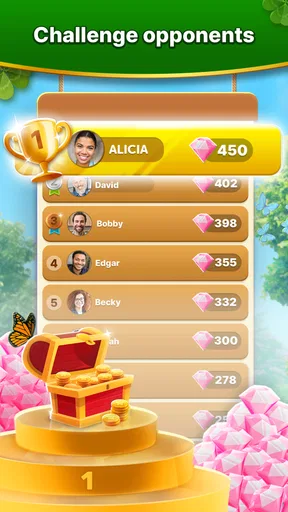
 Analysis by AppCompare
I judge a word game by what happens after the first few taps: does it make me think, give me satisfying feedback, and leave me with a clear reason to come back? Word Garden: Crosswords builds its appeal around that small, repeatable pleasure. I can pick it up for a short break, look for words in a letter set, and stop when I have had enough without needing to learn a complicated system first.
The first move is simple; the choices are yours
The basic action is connecting letters to make words that fit a puzzle. That is easy to understand, but the interesting part is deciding what to try next: do I search for a short, obvious answer, or rearrange the letters in my head to uncover something less familiar? I find it more engaging when I resist tapping randomly and take a moment to scan the available letters in different orders.
That small habit is useful when a puzzle seems to stall. I try grouping letters by likely beginnings or endings, then look for a word that could use several of them together. It turns the task from guesswork into a modest vocabulary exercise, while still keeping the game relaxed. The approach will not make every answer obvious, but it gives me a better way to work through a grid than repeatedly trying the same combinations.
The garden presentation helps make that first step feel welcoming rather than academic. I would recommend it to someone who enjoys word puzzles but finds a bare crossword grid a little stern. If you want a demanding, clue-heavy crossword that tests general knowledge, though, this is a different kind of challenge: the focus here is on building words from letters, not solving written clues.
How the puzzle loop keeps moving
I find the puzzle loop works best when I treat each letter set as a small search problem rather than tapping at random: scan for likely word starts, test a combination, then use the grid’s progress to decide what to try next. That keeps the feedback meaningful and makes a hint feel like a deliberate reset when I’m genuinely stuck, not a shortcut I reach for automatically.
Feedback that encourages another attempt
Each word I find brings a clear sense of progress, and filling out the puzzle gives the short session a purpose. The game is straightforward enough that I can focus on the letters rather than managing a complicated interface. When I hit a difficult patch, hints offer a way forward. I treat them as a pressure valve, not my first move: trying on my own is more rewarding, but there is little fun in being stuck indefinitely.
A useful middle ground is to give a puzzle a fair attempt, then use help only when I have run out of sensible possibilities. That keeps the discovery feeling intact and prevents one stubborn answer from turning a quick break into a chore. If you prefer to solve every word without assistance, you can simply hold off on hints; if you value momentum more, they provide an escape route when your attention is fading.
Worth Reading Before You Choose

Switching to Android Auto Means Rethinking Your Driving Routine

Google Calendar Makes a Crowded Week Easier to Manage

Baby Panda World Brings Quick Play to Modern Phones, but Its Game Library Feels Busy

ESPN’s Live Game View Makes Following Close Games Easier

QuizzLand Review: A Good Fit for Short Trivia Breaks, Not Every Player

Basketball Stars: Multiplayer Is Fast, but Can It Recover When Matches Go Wrong?
Small rewards, and what they do well
The satisfaction here is less about a dramatic win than about spotting a word that had been hiding in plain sight and seeing the grid move closer to completion. That is a good fit for short, low-pressure play. The daily challenges also add a reason to return beyond finishing an ordinary puzzle, although their appeal will depend on whether you enjoy having a fresh goal to work toward.
I would not choose this game for a competitive match or a deep story. Its reward is the steady, private pleasure of noticing patterns and making progress. That makes it suitable for a coffee break, a quiet wait, or a few minutes between other tasks. A practical tip: stop after completing a puzzle rather than starting another automatically if you only have a short window. The simple loop makes it easy to keep going longer than planned.
When a session ends—and when it starts again
The natural stopping point is a completed puzzle, while a new level or daily challenge gives me a reason to return later. That clear reset is one of the game’s strengths: I do not need to remember a long chain of instructions or pick up a complicated campaign. At the same time, players who want every session to feel radically different may find this familiar rhythm repetitive. The pleasure comes from new letter arrangements and gradual progress, not from a wholesale change in how the game works.
In everyday use, I can imagine opening it while waiting for a drink, finishing a few words, and closing it when the order arrives. It asks for attention, but not the kind that makes it difficult to pause. I would avoid playing while doing something that needs concentration, though; even a calm word puzzle can distract you when you are trying to follow a conversation or watch where you are going.
Who will enjoy this particular word game
I see it working best for casual players who like anagrams, want a gentle mental warm-up, and appreciate a clear goal on screen. It can also suit someone returning to word games after a long break, since the central action is quick to grasp. More experienced players may enjoy it as a lighter alternative between tougher crosswords rather than as a replacement for them.
If you prefer competitive word battles, cryptic clues, or puzzles that demand broad trivia knowledge, I would look elsewhere. Likewise, anyone who dislikes repeating a familiar puzzle loop may not get much from its steady format. A conventional crossword is a better choice when you want clue-solving variety; a head-to-head word game is better when you want an opponent and a sense of rivalry. This one is at its best when you want a calm solo task.
What to know before you settle in
Word Garden: Crosswords is a free word game from IsCool Entertainment, with optional in-app purchases priced from $1.49 to $64.99 per item. I would approach those purchases as optional rather than as part of the basic appeal: the core reason to play is forming words and progressing through puzzles. If you are careful about spending in games, check the purchase controls on your device before handing it to a child or letting someone else play on your account.
The game is rated for Everyone, and its current version is 3.12.1, with Android 7.0 as the minimum operating system requirement. Its reach is substantial: it has passed 10 million installs and holds a 4.9 average from around 483,000 ratings, alongside roughly 15,000 written reviews. Those figures suggest that the approachable format has found a large audience, but they cannot tell you whether its pace matches your taste; the best test is whether you enjoy the first few puzzles.
One trade-off I would keep in mind is that hints can protect the relaxed mood but may also reduce the satisfaction of discovering an answer yourself. I get more out of saving them for a genuine block than using them as shortcuts. Another is that the garden atmosphere softens the experience, but it does not change the central activity: if letter-search puzzles are not your thing, attractive scenery will not make the loop compelling for long.
A familiar format with its own pace
Compared with standard crossword apps, this game asks me to form words from letters rather than interpret a clue for each entry. Compared with anagram games that emphasize speed or competition, it feels more like a quiet sequence of individual puzzles. That distinction matters when choosing what to install: I reach for it when I want to think at my own pace, not when I want a timed test or a social contest.
The format also makes it easy to play in short bursts, but the same simplicity is a limit. There is little reason to expect every session to offer a new kind of activity; the variation comes from the puzzle in front of me and the words I can discover. I think that is a fair trade for players who enjoy familiar routines, while anyone seeking a constantly changing set of mechanics should choose a broader puzzle collection.
My verdict on the repeat-play rhythm
Have you ever found yourself with a few minutes to spare and a craving for something fun yet mentally stimulating? I recently stumbled upon the Word Garden: Crosswords app, and let me tell you, it’s like a breath of fresh air for word game enthusiasts like me.
Downloading Word Garden: Crosswords was a breeze. It’s available on both Android and iOS, so no one’s left out of the fun. As soon as I opened the app, I was greeted by a vibrant and inviting interface, with a garden-themed backdrop that feels both calming and engaging.
Gameplay and Features
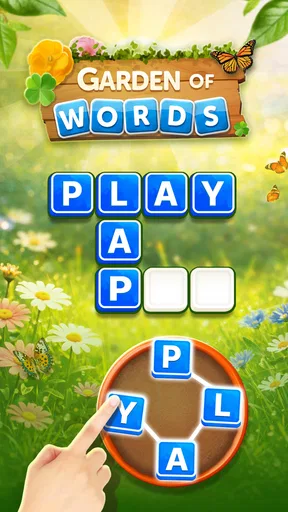
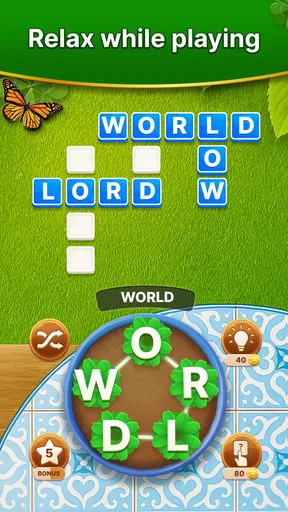
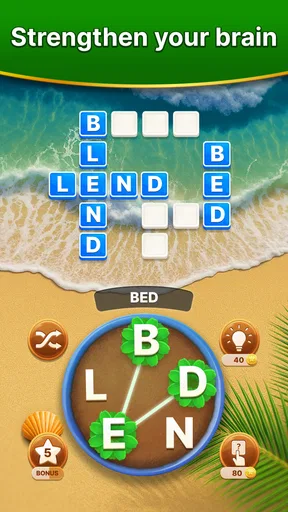
The gameplay is straightforward but incredibly satisfying. You start with a simple grid of letters, and your task is to connect them to form words. The more words you find, the more points you earn, and the closer you get to unlocking the next level. It’s a classic crossword puzzle with a twist, and I love how it challenges my vocabulary and strategic thinking.
One of the standout features is the daily challenges. They add a layer of excitement and a sense of accomplishment when you complete them. Plus, the app offers hints if you ever find yourself stuck, which is a lifesaver for those tougher puzzles.
Visuals and Sound
The visuals are simply delightful. The garden theme isn’t just a gimmick; it’s integrated into the game beautifully. Each level offers a different garden scene, making the experience feel fresh and new every time you play. The sound effects are subtle and pleasant, enhancing the overall relaxing vibe of the game.
Why It's Worth Your Time
What really sets this app apart for me is its accessibility. Whether you’re a word puzzle novice or a seasoned crossword pro, there’s something here for everyone. The difficulty ramps up gradually, ensuring you’re always challenged but never overwhelmed. I’ve found it perfect for a quick mental workout during my coffee breaks.
Another aspect I appreciate is the ad integration. While free apps often bombard you with ads, Word Garden: Crosswords keeps them to a minimum. This means more uninterrupted playtime, which is a big win in my book.
Final Thoughts
In conclusion, Word Garden: Crosswords is a must-try for anyone who loves word games. Its charming design, engaging gameplay, and thoughtful features make it a standout app in the crowded world of mobile games. Whether you’re in it for a quick puzzle fix or looking to spend hours unlocking new levels, this app has got you covered.
Ready to plant some words in your digital garden? Download Word Garden: Crosswords now and see how many words you can grow!
That is the loop I value most: scan the letters, try a combination, see the puzzle advance, and decide whether to finish or leave the next one for later. The game does not need to be the most demanding word title on my phone to earn a place there. It is a pleasant choice when I want a calm, self-directed puzzle and can accept that its familiar structure is also what makes it easy to return to.
Pros
- Engaging puzzles enhance vocabulary.
- Variety of levels keeps it interesting.
- Simple interface for easy navigation.
- Offline mode available for on-the-go play.
- Daily challenges boost brain activity.
Cons
- In-app ads can be intrusive.
- Limited free hints available.
- High difficulty may frustrate some users.
- Occasional app crashes reported.
- Purchases can be pricey for extra features.
FAQs for Word Garden : Crosswords
What is the main objective of Word Garden: Crosswords?
Word Garden: Crosswords is designed to test and expand your vocabulary through a series of engaging crossword puzzles. The main objective is to fill in the crossword grid using the given letters, solving clues to uncover hidden words and advance through increasingly challenging levels.
Is Word Garden: Crosswords suitable for all age groups?
Yes, Word Garden: Crosswords is suitable for all age groups. It features varying levels of difficulty, making it accessible to both younger players looking to expand their vocabulary and adults seeking a fun and challenging mental exercise. Parental guidance is recommended for younger children to ensure they benefit from the educational aspects.
Does the game require an internet connection to play?
No, Word Garden: Crosswords does not require an internet connection for regular gameplay. You can enjoy the puzzles offline, making it a perfect choice for playing on-the-go. However, an internet connection may be needed for downloading updates or accessing additional content and features.
Are there in-app purchases in Word Garden: Crosswords?
Yes, Word Garden: Crosswords offers in-app purchases. Players can buy hints, remove ads, or access special features and premium content. While the core game is free, these purchases can enhance the gameplay experience. It's advisable to monitor in-app purchases, especially if children are playing.
How can I progress through difficult levels in the game?
If you find a level particularly challenging, Word Garden: Crosswords provides hints and clues to assist you. You can earn hints through daily rewards or purchase them via in-app purchases. Additionally, revisiting previous puzzles and practicing regularly can help improve your skills and strategy.


